Activity shown in the product preview: Workflow triggered, Task complete, 12 reactions, Credits redeemed.
Target the right members at exactly the right moment
Build live loyalty audiences from member behavior, spend, tier, and attributes. Use them across every campaign, rule, offer, and reward.
Why loyalty campaigns keep
missing the mark
When targeting is generic and member lists are stale, even well-designed campaigns underperform and drive opt-outs.
Campaigns blast to all members
Generic sends with no relevance drive high opt-out rates. Members tune out offers that don't match their behavior or status.
Static spreadsheet segments
Static lists built in spreadsheets are outdated the moment they're exported. Member data changes daily and the list never catches up.
Duplicate lists across teams
Marketing and loyalty teams maintain separate member lists that diverge. The same member receives duplicate or conflicting communications.
No segment preview
You can't see who is in a segment until after the campaign sends. Wrong audience size, wrong members, discovered too late to fix.
Dynamic segments that update as members change
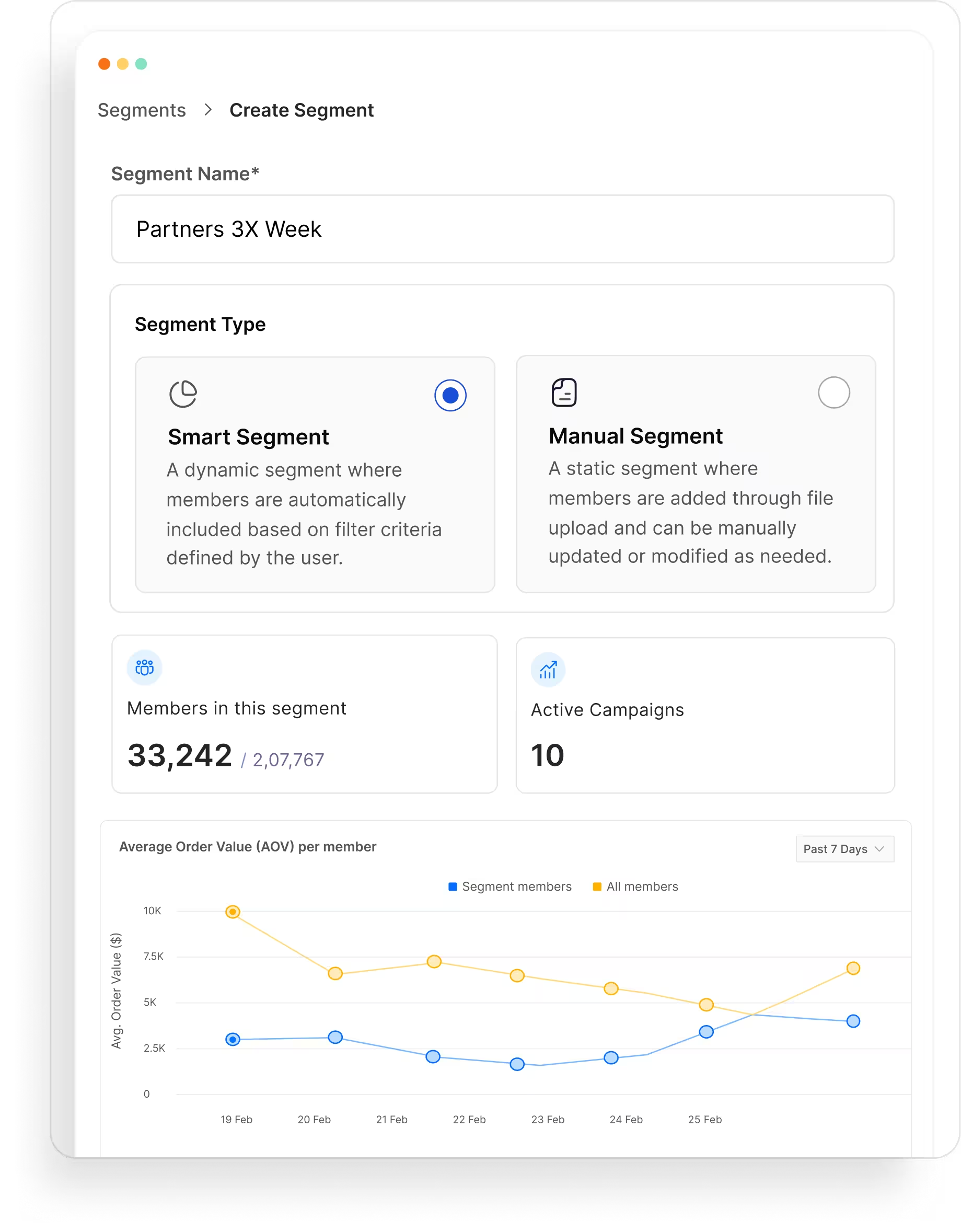
Build precise audiences from live loyalty data. Preview before you act. Reuse everywhere without rebuilding.
Always current, no manual refresh
Rules re-evaluate as activity, spend, tier, and profile data change. Members enter and exit automatically. No CSV exports.
Target by loyalty behavior, not static demographics
Build from live loyalty signals, not one-time demographic lists. Find inactive top spenders, near-upgrade members, and idle-point holders automatically.
Define once, reuse everywhere
Shared audience objects every team can use. Update the criteria once, and every connected workflow adapts.
Build, preview, and activate a segment
in minutes
Combine filters with AND/OR logic
Pick filters from tier, spend, activity, location, and product category. Combine them with AND/OR logic to define exactly who qualifies. No SQL, no data team.
Combine filters with AND/OR logic
Preview member count and sample profiles
Before saving, see the live count, a sample of qualifying profiles, and a composition breakdown. Adjust filters until the audience is right.
Preview member count and sample profiles
Attach to a campaign, rule, or journey
Connect the segment to a campaign, journey, or tier rule. It updates automatically as members qualify or exit.
Attach to a campaign, rule, or journey