Activity shown in the product preview: Workflow triggered, Task complete, 12 reactions, Credits redeemed.
Tier structures that make members want to earn more
Members behave differently at each tier threshold. Get fully configurable tiers built around your program's economics, not a rigid vendor template.
Tier programs fail when the mechanics are unclear
Members need to know where they stand, what they get, and what to do next.
Spreadsheet rules drift
Tier rules in sheets rarely match live behavior, creating gaps teams cannot explain.
Benefits stay invisible
Members unlock tiers without clear benefit updates, so rewards go unused.
Downgrades trigger churn
Members who drop tiers without warning or explanation are less likely to stay engaged.
Communication is manual
Upgrade and near-qualification nudges go out late, manually, or not at all.
Turn tiers into a visible growth path
Build status, benefits, qualification, and lifecycle nudges in one place so members always know the next step.


Unlimited custom tiers
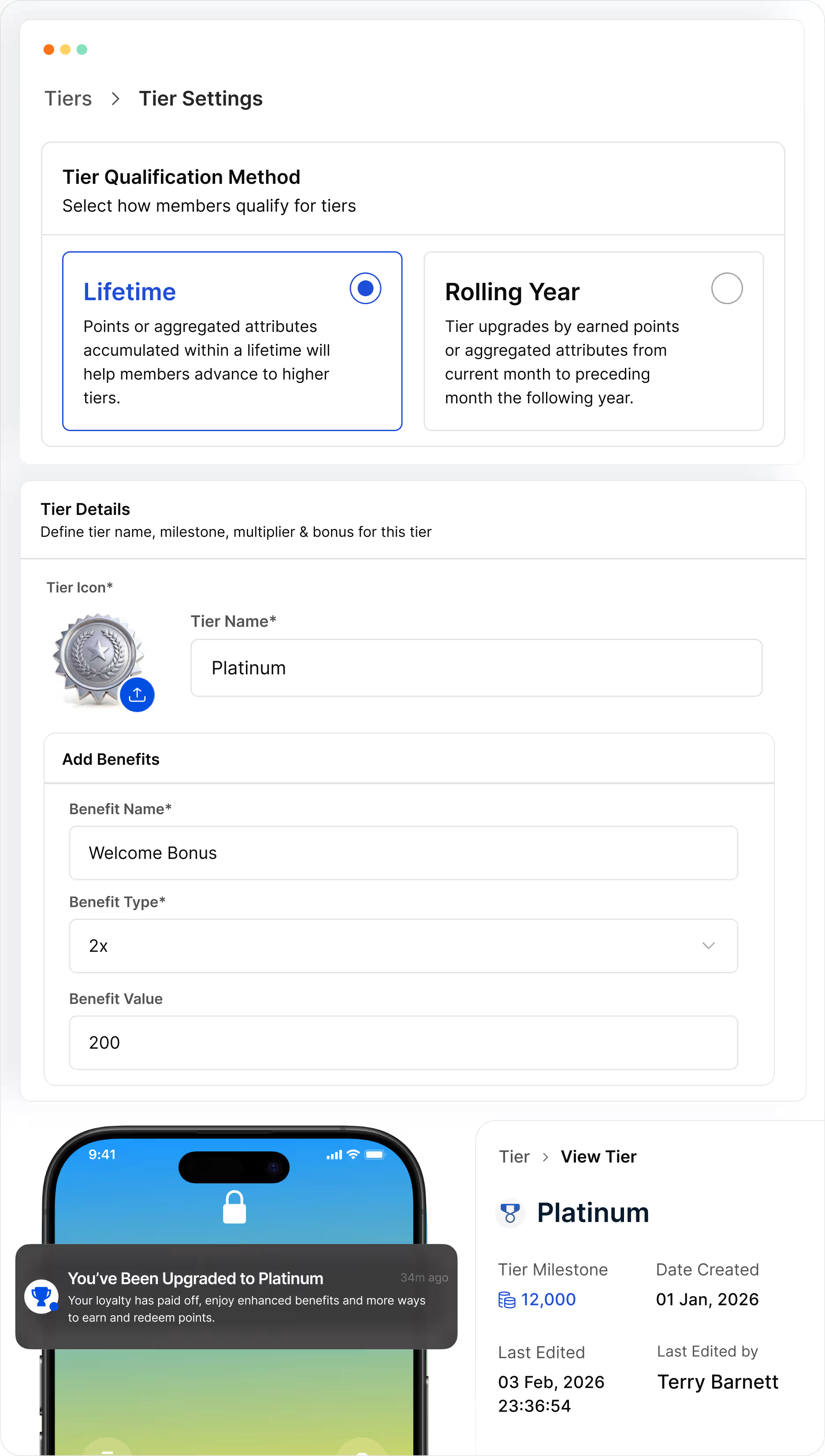
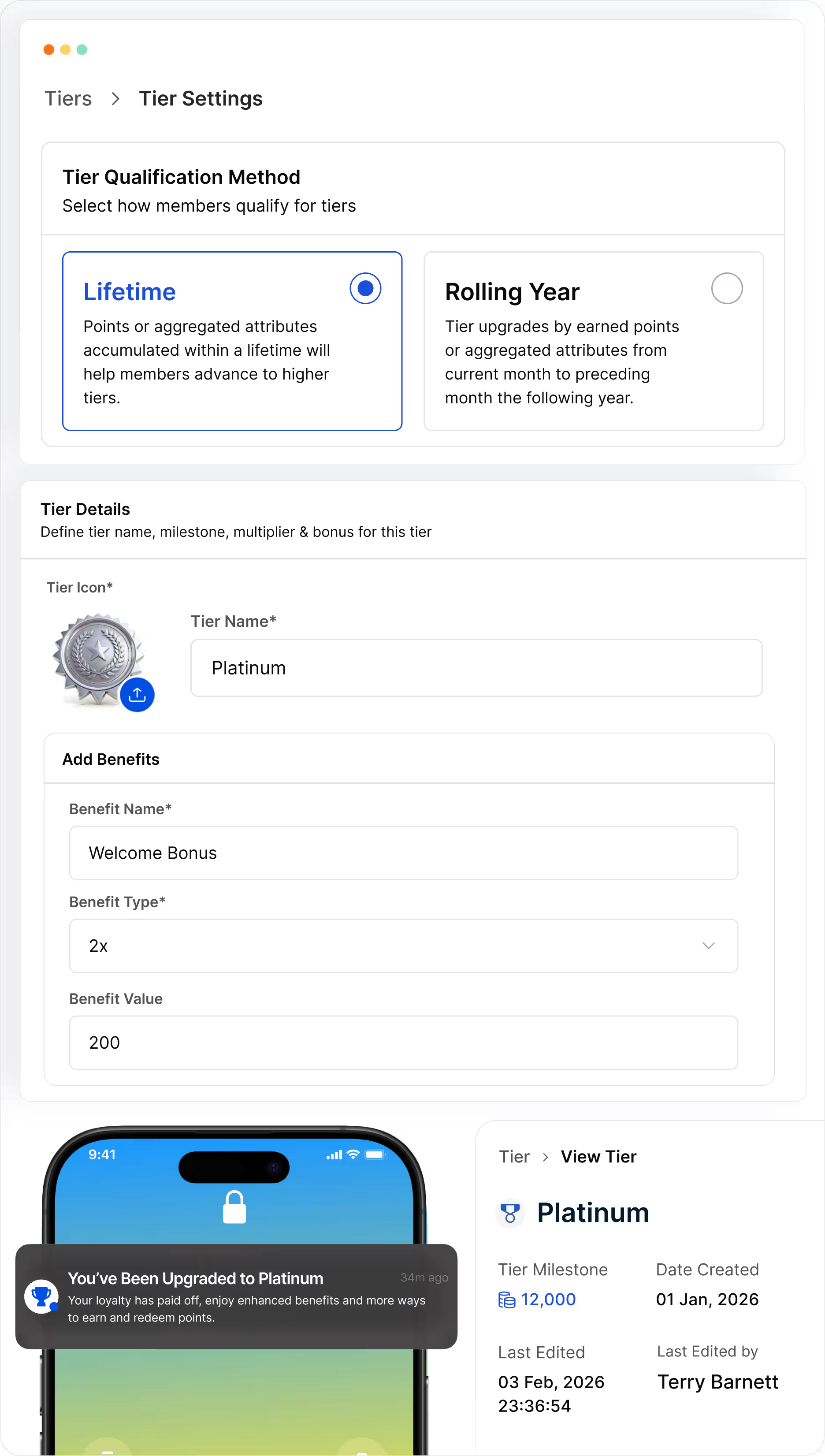
Create as many tiers as your program economics require, each with a unique icon, name, and milestone points to enroll. No hard limits on levels or naming.
Flexible qualification criteria
Qualify by spend, points, transactions, tenure, or any custom attribute. Combine criteria with AND/OR logic.
Per-tier earn rates and benefits
Each tier carries its own earn multiplier or bonus points rule, plus unique perks like catalog access and service privileges. Each step up unlocks visible upside.
Rolling or evergreen periods
Set rolling qualification windows per tier, or configure tiers as evergreen so members keep their status once they enroll.
Automatic upgrade, downgrade, and progress
Real-time promotion on qualification, configurable grace periods, and automatic downgrade with notification. Live progress bar with nudges.
Gamified progression and analytics
Gamify tier progression with milestones and benefit unlocks, and get tier-wise analytics on member interactions and upgrades.
Design, communicate, and monitor
in three steps
Set tier structure and criteria
Name each tier, set qualifying criteria (spend, points, or transactions within period), define associated benefits, and configure downgrade grace periods, all from the admin UI.
Set tier structure and criteria
Set up communication triggers
Configure automatic tier-upgrade celebrations and near-miss notifications. Define message content, channels (email, SMS, push), and timing, then activate.
Set up communication triggers
Track distribution and velocity
Monitor member distribution across tiers, upgrade and downgrade velocity, and benefit redemption rates. Use the data to refine thresholds and improve tier program ROI.
Track distribution and velocity