Key Takeaways
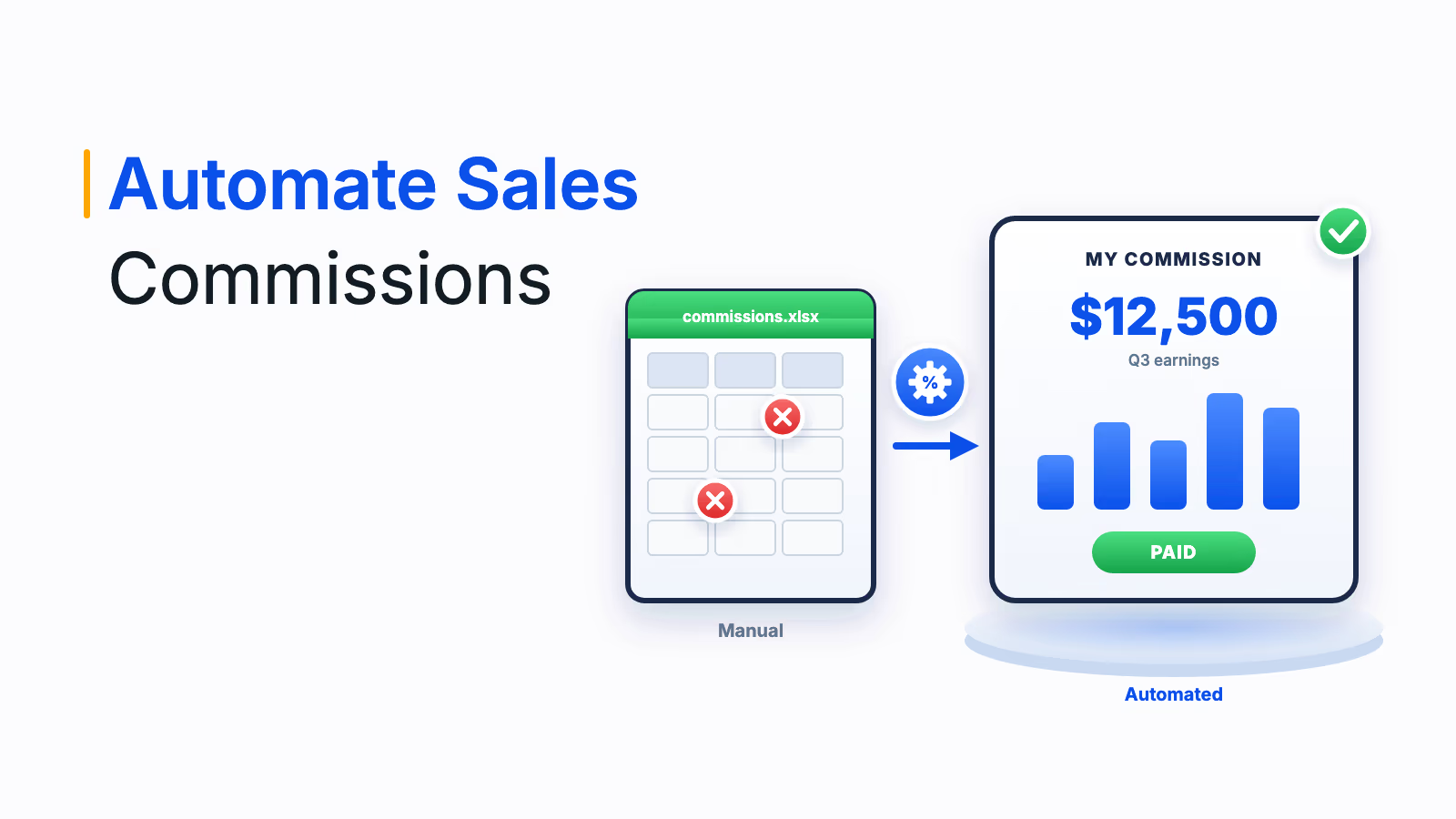
Commission tracking software shows each salesperson what they have earned, what is pending and what the next deal is worth, updated as deals close.
Salesforce's 2026 report found 74% of reps want more transparency in how their pay is calculated.
CaptivateIQ's 2026 report found reps spend 1.6 hours a week calculating their own payouts, time that real-time tracking gives back to selling.
SMEs usually need quick setup and published pricing, while enterprises need mobile access, estimators and payroll integration across countries.
A good commission statement lets a rep reproduce their total from deal lines, rates and adjustments without a spreadsheet.
Commission tracking software shows every salesperson what they have earned, what is pending and what the next deal is worth, updated as deals close instead of weeks after the period ends. It replaces the private spreadsheets reps keep to check their own pay with one trusted view. This guide compares 10 commission tracking tools, split into enterprise and SME options, and includes a commission statement template you can use to judge any of them.
Commission tracking software automates the calculation and tracking of sales and performance-based pay. It is used most in sales, insurance, real estate and financial services, and adoption is growing among small and mid-sized businesses as well as enterprises. If your goal is to lift sales team morale and performance through transparency, the right commission tracker makes that visible every day.
What commission tracking software is
Commission tracking software is a tool that records each sale against a compensation plan, calculates the commission earned and shows salespeople and managers their earnings, attainment and pending payouts in real time. Where commission management software governs the whole process for admins and finance, commission tracking focuses on the view each rep and manager sees.
Sales commission tracking matters because pay that people cannot see or verify does not motivate them. It also saves time: reps stop rebuilding their own numbers, and sales ops stops answering the same questions every pay period.
Why reps need real-time commission visibility
Most sellers still cannot see how their pay is calculated, and many spend selling time checking it themselves. Two 2026 reports put numbers on the problem.
Salesforce's 2026 Trends in Sales Compensation report, based on 500 US sales professionals, found that 74% of reps wish there were more transparency in how their compensation is calculated, 47% say their compensation does not always seem fair and 39% count commission transparency among the top factors they look for in a job. CaptivateIQ's 2026 State of Sales report found reps spend an average of 1.6 hours a week calculating their own payouts, which adds up to over 40,000 hours of lost selling time a year for a 500-seller organization.
74%
of reps
want more transparency in how pay is calculated (Salesforce)
39%
of reps
rank commission transparency as a top job factor (Salesforce)
1.6 hrs
a week
spent by reps calculating their own payouts (CaptivateIQ)
Sources: Salesforce Trends in Sales Compensation 2026; CaptivateIQ State of Sales 2026
Key features to look for in commission tracking software
Seven features make the difference between a tracker reps open every day and one they ignore. The first three are about the rep's own view, which is what this category exists to fix.
- Real-time earnings view: Earned, pending and paid commissions, updated as deals close in the CRM, on web and mobile.
- Deal-level statements: Every payout traced to the deals, rates and tiers behind it, so reps can check their pay without a spreadsheet.
- Estimators and forecasts: What a deal in the pipeline will pay and how far the rep is from the next tier.
- Automated calculations: Commission computed automatically to guarantee precision, save time and minimize human error.
- Customizable commission structures: Plans that adapt to different team requirements and sales tactics, from flat rates to tiers and splits.
- Integration with CRM and accounting software: Easy connections to your CRM and accounting systems for a streamlined workflow.
- In-app questions: A way for reps to raise a query on a statement line and see it resolved, instead of emailing sales ops.
Beyond the rep view, check six factors that matter to managers and finance: quota management, performance analysis, insights and transparency for leaders, commission plan administration, commission accounting and cross-functional reporting. Scalability matters too, so pick software that can grow with higher sales volumes and more complex plans.
Commission tracking for SMEs vs enterprises
The right commission tracker depends more on your size and plan complexity than on any single feature. Use this table to decide which half of the list below to start with.
| Factor | Commission tracker for small business | Commission tracking tools for enterprises |
|---|---|---|
| Team size | A handful to around 100 payees | Hundreds to tens of thousands of payees |
| Plans | One to a few plans, flat rates or simple tiers | Many plans by role, region and product, with splits, draws and clawbacks |
| Data sources | One CRM plus a spreadsheet or accounting tool | CRM, ERP, HRMS, data warehouses and payroll |
| Rep view | Web dashboard and statements | Web and mobile, estimators, chat or Slack and Teams access |
| Payouts | Exported to payroll | Pushed to payroll across countries and currencies |
| Setup | Self-serve, days to weeks | Guided implementation, weeks to months |
| Pricing | Often published per user | Usually quoted by payee count and modules |
Give every rep a live view of what they earn
See the Empuls rep scorecard with earnings, target progress and next milestone, updated as deals close.
Talk to our ExpertTrusted by 5,000+ companies
10 best commission tracking software for enterprises and SMEs
The list is split in two: five enterprise platforms first, then five tools that suit small and mid-sized businesses. Each write-up focuses on what a rep and a manager actually see, because that is what commission tracking is for.
1. Xoxoday Empuls (enterprise)
Empuls gives every sales professional a live scorecard on web and mobile: earnings against target, rewards earned and still to come, rank, and a history of completed plans. Managers see team attainment with drill-down by sales professional and an exception and dispute log, while leadership sees incentive spend against revenue.
- Earnings path: AI shows each sales professional their earning potential based on current trajectory and promotion paths, with timely prompts that connect today's activity to future earnings.
- Ask in plain language: Questions such as "How much have I earned this month?" and "What do I need to reach the next tier?" are answered instantly, without raising a ticket.
- Where reps see it: Web, mobile, Slack, Teams and sales-floor screens, with payouts in the rep's local currency.
2. Xactly Incent (enterprise)
Xactly Incent gives reps customized incentive statements that break down how each commission was calculated, plus a commission estimator that uses live plan logic and current deal data. Native iOS and Android apps put the same view on a phone, and a built-in dispute resolution system logs and tracks any question.
Best for: large, multi-region sales forces that need statements and estimators at scale.
3. Salesforce Spiff (enterprise)
Salesforce Spiff runs inside Salesforce, so reps see their statements and a Commission Estimator next to their opportunities. Statements drill down into the deals included in each payout, reps and managers can comment on a deal in the app, and a Leader Dashboard shows team pacing and attainment.
Good to know: Salesforce says compensation data can also be extended to Slack, Claude and other AI tools.
4. CaptivateIQ (enterprise)
CaptivateIQ generates real-time payout statements as data updates, giving payees and leadership the same view of commissions. Its logic-based workbooks handle complex plans behind the scenes, so reps see a simple statement even when the calculation is not.
Best for: mid-market and enterprise teams whose plans change often and who want statements to keep up.
5. Varicent (enterprise)
Varicent provides real-time seller earnings visibility through its Incentives product, and Seller Insights guides sellers toward quota attainment. Structured inquiry workflows give reps a formal way to ask about their pay instead of sending emails.
Best for: large enterprises that also want quota and territory planning in the same suite.
6. QuotaPath (SME)
QuotaPath is one of the best commission tracking software options for small and growing teams that want to start quickly. Reps get plan performance insights, leaderboards and contests, and can collaborate in the app on commission discrepancies, while admins connect CRMs such as HubSpot, Salesforce, Zoho and Pipedrive, or a spreadsheet.
Pricing: QuotaPath's pricing page lists the Growth plan at $35 per user per month plus a $525 monthly platform fee covering the first five users, billed annually.
7. Everstage (SME and mid-market)
Everstage shows reps advanced payout forecasting from live pipeline and a preview of projected and current quota attainment, so they know what is coming before the period closes. Reps can raise a query against a specific statement line directly from the mobile app, with that line's context attached.
Best for: fast-growing companies that want rep forecasting without an enterprise rollout.
8. Performio (mid-market)
Performio gives sellers dashboards, leaderboards and what-if calculators that show progress toward goals and how each deal affects their payout, on any device. It describes its ideal customer as having 70 or more commissionable employees and complex plans.
Best for: mid-sized teams that have outgrown simple trackers but do not need a full enterprise suite.
9. QCommission (SME)
QCommission, from CellarStone, provides real-time commission statements for companies of all sizes and integrates with 60+ business systems, including Salesforce and QuickBooks. It suits small businesses whose commissions depend on invoices or payments held in accounting software.
Best for: a commission tracker for small business teams that run on accounting data.
10. Commissionly (SME)
Commissionly, now part of Fullcast after a June 2025 acquisition, is a cloud commission tool with strong industry features. Agents log in to view their commissions and reports, insurance businesses can track commissions by policy and flag missing carrier payments, and payments companies can split a merchant's commission among several agents.
Best for: small and mid-sized insurance and payments businesses with agent networks.
Commission statement template: what reps should see
Use this template to judge any commission tracking tool, or as the layout for your own statements. The example shows a rep on a $100,000 quarterly quota with a 5% base rate that rises to 8% above quota.
| Statement field | What it shows | Example |
|---|---|---|
| Plan and period | Which plan and dates the statement covers | Mid-market AE plan, Q3 |
| Quota and attainment | Target and progress against it | $100,000 quota, $112,000 closed, 112% |
| Deal lines | Each credited deal, amount and credit share | 8 deals, one at 50% split credit |
| Rate and tier | Rate applied to each slice of revenue | 5% on first $100,000, 8% on $12,000 above quota |
| Commission earned | Total from the rate calculation | $5,000 + $960 = $5,960 |
| Adjustments | Clawbacks, corrections and draw recovery | Clawback of $250 on a cancelled deal |
| Paid and pending | What is paid, approved or awaiting approval | $5,710 approved, paid with next payroll |
| Next milestone | What the next deal or tier is worth | Every extra $10,000 adds $800 |
For step-by-step formulas behind each plan type, see our guide on how to calculate sales commissions.
How Empuls gives every rep a live view of earnings
Empuls calculates incentives from your CRM, ERP and HRMS data and shows each sales professional their earnings, target progress and rank as deals close, on web and mobile. Managers see who is off pace while there is still time to coach, and approved payouts go straight to payroll, so the number reps track is the number they are paid.
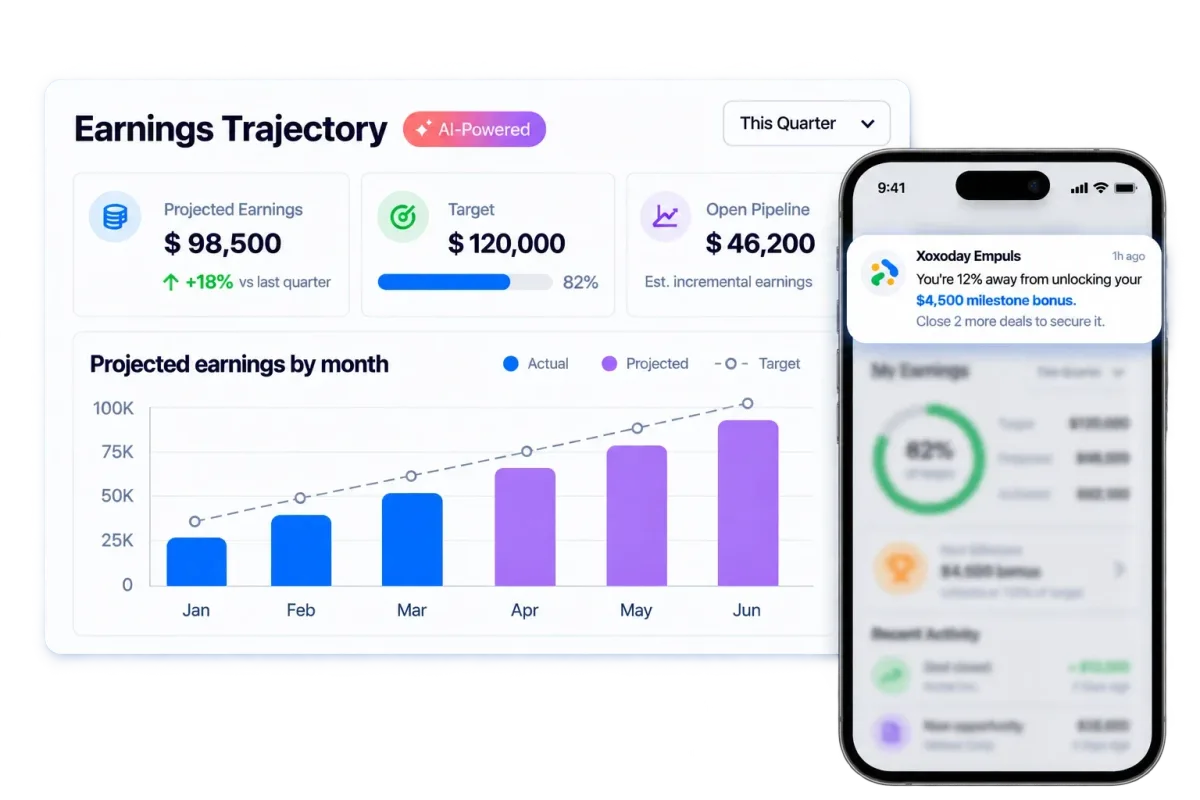
- See earnings paths, plain-language earnings questions and sales nudges in Empuls AI for sales incentives.
- Explore live attainment and off-pace alerts in Empuls sales intelligence.
- Read how Chaipoint turned incentive transparency into a sales performance engine, with a 115% increase in incentive qualifiers across 43 cities.
Choosing the right commission tracking software
Selecting the right commission tracking software comes down to two questions: how big and complex your plans are, and what your reps need to see to trust their pay. Start with the SME or enterprise half of the list, test each shortlisted tool against the statement template, and ask a few reps to check their own numbers during the trial.
For the full process behind the numbers, including approvals, disputes and audit, compare commission management software. For a broader list by team size, see the best sales commission software; for quota and territory planning, read about sales compensation software; and for SPIFs and non-cash rewards, see our guide to incentive management software.
Book your Empuls demo
Frequently asked questions
Commission software is a digital tool that automates how a business calculates, tracks and manages sales commissions or incentives. It is common in organizations with a salesforce or distribution network, where individuals or teams are paid based on sales performance. It pulls deal data from a CRM, applies plan rules and shows everyone the resulting earnings.
The best way depends on plan complexity and deal volume. Manual tracking works only for very simple plans with few deals. Spreadsheets cope with a little more, but once you have tiers, splits or many reps, dedicated commission tracking software is more accurate, because it calculates from CRM data automatically and gives each rep a live, verifiable statement.
Record the commission earned, the date it was earned, the expense account to charge and the liability account for amounts not yet paid. A journal entry debits commission expense and credits commissions payable, then the payable is cleared when the commission is paid. Under ASC 606, some commissions are capitalized and amortized instead of expensed immediately.
Compare commission payouts with the results they were meant to drive, such as revenue, margin or product mix, and look at how attainment and payouts are distributed across the team. Commission tools provide dashboards and reports on payout trends, quota attainment and incentive spend against revenue, which show whether a plan rewards the right performance.
Some vendors offer free trials, and a spreadsheet template can track commissions for free on a very simple plan. Fully free tools are rare for business use, and they usually lack CRM integration, approvals and audit trails. For small teams, tools with published per-user pricing are often the most practical next step after spreadsheets.
It connects to CRMs such as Salesforce, HubSpot or Zoho through native connectors or APIs and syncs deals, amounts, owners and close dates on a schedule or in near real time. The software then applies plan rules to each deal and updates reps' earnings. Check sync frequency and how changes to closed deals are handled.
Many commission tracking tools now offer mobile apps or mobile-friendly dashboards, so reps can check earnings, attainment and pending payouts in the field. Enterprise platforms such as Empuls and Xactly offer mobile apps, and some tools also deliver updates in Slack or Microsoft Teams. Confirm mobile access in the demo if your reps work in the field.
A commission statement should show the plan and period, quota and attainment, every credited deal with its split, the rate or tier applied, total commission earned, adjustments such as clawbacks or draw recovery, what is paid versus pending and what the next deal or tier is worth. A rep should be able to reproduce the total from it.