Key Takeaways
The basic sales commission formula is commission base multiplied by commission rate, so $100,000 of credited sales at 8% earns $8,000 before adjustments.
To calculate a commission rate, divide the commission by the sales it was paid on, or divide target variable pay by quota when designing a new plan.
Tiers, overrides, returns and splits are where most commission errors happen, so net returns and splits out of credited revenue before applying accelerators.
Marginal and retroactive tiers can produce very different payouts on the same sales, so the plan document must state which one applies.
With 64% of companies reporting a payout error in the past year, automating commission calculation protects both the budget and reps' trust in the plan.
To calculate a sales commission, multiply the commission base (usually the revenue or gross profit a rep is credited with) by the commission rate, then adjust for tiers, overrides, returns and splits. A rep credited with $100,000 in sales at an 8% rate earns $8,000 before adjustments. The rest of this guide shows how to calculate sales commissions in 8 steps, with a worked example and the formula for each common plan type.
A sales commission is variable pay earned as a percentage or fixed amount of the sales a person generates. Because fair, on-time pay is one of the strongest motivators a salesperson has, getting the arithmetic right matters as much as designing the plan itself. This guide covers the sales commission formula, the factors that change it, commission calculation examples for eight structures and the tools that keep payouts accurate as your team grows.
What is a sales commission calculator
A sales commission calculator, or sales comp calculator, is a tool that works out how much a salesperson earns based on their sales performance. At its simplest, you enter the sales amount and the commission rate and the calculator returns the commission earned. More advanced calculators apply tiers, quotas, splits and clawbacks automatically. A good commission calculator helps an organization maintain:
- Accuracy: It calculates commissions the same way every time, which removes manual errors from the payout.
- Efficiency: It saves the hours sales operations and finance spend on calculations, so salespeople can focus on selling.
- Transparency: It gives reps clear and immediate information about what they have earned and what they could earn.
The case for accuracy is stronger than ever. CaptivateIQ's 2026 State of Incentive Compensation Management Report, a survey of 200 incentive compensation leaders, found that most companies still struggle to pay commissions correctly:
64%
of companies
had a payout error in the past year
93%
of companies
get rep questions about payouts every pay period
40%
of companies
doubt commissions are calculated accurately or on time
33%
of companies
have fully automated their commission process
Source: CaptivateIQ, 2026 State of Incentive Compensation Management Report
The problem is not new. A year earlier, the 2025 edition of the same report, based on more than 200 US B2B incentive compensation leaders, found that a combined 66% of companies had overpaid or underpaid commissions in the previous year.
Every error costs twice: once in the money paid wrongly and again in the trust reps lose in the plan. That is why the steps below matter, whether you calculate by hand, in a spreadsheet or in software.
The basic sales commission formula
The basic sales commission formula is: Commission = Commission base × Commission rate. If a rep sells $60,000 of product at a 5% rate, the commission is $60,000 × 0.05 = $3,000. If they are on a fixed amount per unit instead, multiply units sold by the amount per unit: 40 units × $75 = $3,000.
You will also need the reverse calculation. To find out how to calculate commission rate from a payout, divide the commission by the sales it was paid on and multiply by 100. A rep paid $4,500 on $60,000 of sales has an effective rate of $4,500 ÷ $60,000 × 100 = 7.5%.
When you are setting a rate for a new plan, start from the pay you want a rep to earn at target. Divide the variable part of on-target earnings (OTE) by the annual quota. A rep with $60,000 of target variable pay and a $750,000 quota needs a rate of $60,000 ÷ $750,000 = 8% to earn exactly their target variable pay at 100% of quota. For the difference between commission and other variable pay, see commission vs bonus.
Commission is gross pay, so taxes come off afterward. In the US, commissions are supplemental wages, and IRS Publication 15 for 2026 lets employers withhold federal income tax on them at a flat 22%, or 37% on supplemental wages above $1 million in a year. Commission is also only one form of variable pay: for bonuses, SPIFs and contests, see how to calculate sales incentives.
Six factors that shape every commission calculation
Six inputs decide what a salesperson is actually paid, and the first two, base and rate, drive most of the result. The other four (period, tiers, overrides and splits) are where most calculation mistakes happen, so define them in writing before the period starts.
- Commission base: The revenue or profit a salesperson's commission is calculated on. It can be total sales revenue, the gross margin on sales, or another metric that reflects the rep's contribution to the bottom line, such as annual contract value.
- Commission rate: The percentage of the commission base the salesperson receives. If the commission base is $100,000 and the rate is 10%, the commission is $10,000.
- Commission period: The time over which commission is calculated and paid, such as a week, a month or a quarter. Match it to your sales cycle so reps see the reward soon enough to stay motivated.
- Commission tier: A structure that sets different rates for different performance levels. For example, a rep might earn 10% on the first $50,000 of sales, 12% on the next $50,000 and 15% on anything above $100,000.
- Override: An additional commission paid to a salesperson who manages other salespeople, calculated as a percentage of the commission (or sometimes the sales) their team earns.
- Split: The share of credit each person receives when two or more salespeople close a sale together, such as 50/50 or 70/30, based on an agreed formula.
By defining these factors clearly and building a fair, transparent structure, you give reps a plan they can check for themselves, which reduces disputes and keeps them focused on selling. For help choosing a structure, see this guide to sales commission and incentive plans. To automate the math, compare the best sales commission software.
Stop calculating commissions by hand
Configure tiers, splits, overrides and clawbacks once, and let every payout calculate itself.
Talk to our ExpertTrusted by 5,000+ companies
How to calculate sales commissions in 8 steps
Calculating sales commission takes eight steps, from fixing the period to splitting shared deals. Steps 1 to 3 give you the base commission, and steps 4 to 8 adjust it, which is where errors creep in, so each step below uses the same worked example: a sales team lead with a quarterly quota of $80,000 and a base rate of 8%.
Step 1: Determine the commission period
Decide the period you are calculating, such as weekly, monthly, quarterly or annually, and gather every sale closed in it. Check which date decides the period: the date the contract was signed, the invoice date or the date the payment was received. Example: the period is the first quarter, January to March.
Step 2: Identify the commission base
List the commission base for each transaction in the period. Because the base can differ from sale to sale, keep strict track of it in one place. Example: three deals closed in the quarter: Deal A for $50,000, Deal B for $30,000 and Deal C for $20,000, a total commission base of $100,000.
Step 3: Multiply the commission base by the commission rate
Multiply the commission base by the standard rate to get the base commission. This is not the final value, because your plan may add to or deduct from it. Example: $100,000 × 8% = $8,000.
Step 4: Apply any different commission rates
Some products, customers or deal types may carry a different rate from your standard one. Recalculate those transactions at their own rate. Example: Deal B is for a strategic product that pays 10% instead of 8%, so add the 2-point difference: $30,000 × 2% = $600. The running total is $8,600.
Step 5: Apply the commission tier
Check whether total sales crossed a tier or quota threshold that unlocks a higher rate, often called an accelerator. Tiered rates are easy to miss, and a missed tier underpays the rep, so keep a list of the thresholds that apply. Example: revenue above the $80,000 quota earns an extra 4%. The rep is $20,000 over quota, so add $20,000 × 4% = $800. The running total is $9,400.
Step 6: Calculate the override commission
If the person manages other reps, add the override they are entitled to on their team's results. Multiply the override rate by the total commission the team members earned, then add the result. Example: the two reps on the team earned $6,000 in commission between them, and the override is 5%, so add $6,000 × 5% = $300. The running total is $9,700.
Step 7: Deduct any returns or cancellations
Deduct commission on any sale the customer canceled, returned or never paid for. Even if the deal closed, most plans treat it as void if the company has to refund the money or never receives it, and the deduction is often called a clawback. Example: the customer on Deal A canceled $10,000 of the order. Because the accelerator is paid on revenue above quota, the lost revenue comes out of the accelerated slice first, at 8% + 4% = 12%: deduct $10,000 × 12% = $1,200. The running total is $8,500.
Step 8: Split the commission on shared deals
Deduct the share of any colleague who helped close a sale with the rep. Example: Deal C was shared 50/50 with another rep, so $10,000 of credit moves to the colleague. The rep is now exactly at quota, so this revenue also comes out of the accelerated slice: deduct $10,000 × 12% = $1,200. The final commission for the quarter is $7,300.
| Step | What you do | Calculation | Running total |
|---|---|---|---|
| 1. Period | Fix the quarter and gather closed deals | January to March | None yet |
| 2. Base | Total the commission base | $50,000 + $30,000 + $20,000 = $100,000 | None yet |
| 3. Base commission | Multiply base by standard rate | $100,000 × 8% = $8,000 | $8,000 |
| 4. Different rates | Add the extra 2% on the strategic product | $30,000 × 2% = $600 | $8,600 |
| 5. Tier | Add the 4% accelerator above quota | ($100,000 − $80,000) × 4% = $800 | $9,400 |
| 6. Override | Add 5% of the team's commission | $6,000 × 5% = $300 | $9,700 |
| 7. Returns | Remove the canceled $10,000 at 12% | $10,000 × 12% = $1,200 | $8,500 |
| 8. Split | Remove the colleague's $10,000 share at 12% | $10,000 × 12% = $1,200 | $7,300 |
You can check the answer by calculating from net credited revenue instead. Deal A is now $40,000 at 8% ($3,200), Deal B is $30,000 at 10% ($3,000) and Deal C is $10,000 at 8% ($800), for $7,000. Credited revenue is exactly $80,000, so no accelerator applies, and the $300 override brings the total to $7,300. Both methods agree.
8 sales commission structures and how to calculate them
Sales commission plans are not one size fits all, and the right structure depends on your goals, sales cycle and revenue model. The table gives the sales commission formula and a worked example for each of the eight most common structures, and the sections after it explain when each one fits.
| Structure | Formula | Worked example | Commission |
|---|---|---|---|
| Base salary + commission | Total pay = Base salary + (Sales × Rate) | $50,000 base + $400,000 sales × 5% | $20,000 commission, $70,000 total pay |
| Quota-based | If Sales > Quota: (Sales − Quota) × Rate, otherwise 0 | Quota $100,000, sales $130,000, rate 10% | $3,000 |
| Straight commission | Sales × Rate | $60,000 sales × 15% | $9,000 |
| Residual | Recurring revenue from the account × Residual rate, each period | Client pays $2,000 a month, residual rate 5% | $100 a month, $1,200 a year |
| Territory volume | Territory sales × Team rate × (Rep's sales ÷ Territory sales) | $500,000 territory × 4% = $20,000 pool; rep sold $150,000 (30%) | $6,000 |
| Tiered (marginal) | Sum of (Sales in each tier × That tier's rate) | $130,000 sales: 10% on first $50,000, 12% on next $50,000, 15% above $100,000 | $5,000 + $6,000 + $4,500 = $15,500 |
| Gross margin | (Revenue − Cost of goods sold) × Rate | ($200,000 − $140,000) × 10% | $6,000 |
| Draw against commission | Payout = Draw, plus (Commission − Draw − Any balance owed) when positive | $3,000 monthly draw; earned $2,000 in month 1 and $5,500 in month 2 | Month 1: $3,000 paid, $1,000 owed. Month 2: $3,000 + $1,500 = $4,500 |
1. Base salary plus commission
This model combines a fixed salary with a commission on sales, which offers financial stability with an incentive to grow. Best for: businesses with long or unpredictable sales cycles. Pros: encourages consistent performance while reducing financial risk for reps. Cons: higher fixed costs for the employer, and a high base can reduce urgency.
2. Quota-based commission
This plan pays commission only on sales above a set quota, which pushes reps toward high performance. A common variant pays commission on all sales once the quota is met, so state clearly which version you use. Best for: experienced teams with ambitious targets. Pros: motivates reps to beat their goals. Cons: can discourage reps if the quota feels unattainable.
3. Straight commission
Reps earn a percentage of total sales with no base salary, so the rate determines their entire income. Best for: independent sales professionals or short sales cycles. Pros: high earning potential and a direct link between effort and income. Cons: income swings can create financial stress. If you employ commission-only staff, check local minimum wage rules.
4. Residual commission
This model pays recurring commission for as long as a client keeps paying. Best for: SaaS and subscription businesses. Pros: encourages long-term customer retention. Cons: takes time to build meaningful earnings.
5. Territory volume commission
A team-based model where a commission pool on total territory sales is shared among reps by their contribution. Best for: large teams covering geographic territories. Pros: promotes teamwork and regional market development. Cons: can cause disputes if contributions are not tracked and recognized fairly.
6. Tiered commission
Reps earn higher rates as they cross higher sales thresholds, which encourages them to push beyond their first target. The example above is marginal: each rate applies only to the sales inside its tier. In a retroactive plan, the top tier reached applies to all sales, so the same $130,000 would pay $130,000 × 15% = $19,500, a $4,000 difference. Best for: high-performing teams with room to scale. Pros: rewards top sellers. Cons: can discourage lower performers if the higher tiers seem out of reach.
7. Gross margin commission
This plan pays on profit rather than revenue, which ties incentives to profitability and discourages heavy discounting. Best for: companies that prioritize margin over volume. Pros: encourages selling high-margin products. Cons: more complex to calculate, and reps need visibility into costs.
8. Draw against commission
This model pays reps an advance each period that is repaid from the commission they earn. In a recoverable draw, any shortfall carries forward, as in the example. In a non-recoverable draw, the shortfall is written off, so the rep is paid the higher of the draw or the commission earned. Best for: new hires and roles with uneven income. Pros: gives reps security during slow periods. Cons: a recoverable draw can leave reps owing money after a weak stretch.
Building a sales commission calculator in a spreadsheet
For a small team on a simple plan, a spreadsheet can serve as a basic sales commission calculator. Put each rep's credited sales in column B and use formulas like these:
- Flat rate: =B2*8%
- Quota-based: =IF(B2>C2,(B2-C2)*10%,0), where C2 holds the quota.
- Marginal tiers (10%, 12%, 15%): =MIN(B2,50000)*10%+MAX(MIN(B2,100000)-50000,0)*12%+MAX(B2-100000,0)*15%, which returns $15,500 for $130,000 of sales.
- Gross margin: =(SUM(A1:A10)-SUM(B1:B10))*C1, where A holds sales, B holds cost of goods sold and C1 holds the rate.
Spreadsheets start to strain once you add splits, clawbacks, mid-period rate changes and dozens of reps. For the common formula errors and how to fix them, read this guide to incentive calculation in Excel, and when the workbook becomes the bottleneck, see the case for replacing Excel for commission calculation.
Common commission calculation mistakes to avoid
Most payout errors come from a handful of avoidable mistakes rather than complex math. The five below cause the most disputes, so build a check for each into your monthly process:
- Mixing up marginal and retroactive tiers: The same sales can produce very different payouts, so the plan document must say which applies.
- Using the wrong credit date: Booking a deal in the wrong period moves it across a tier or quota and changes the payout.
- Missing returns and clawbacks: Commission on canceled or unpaid deals is paid out and rarely recovered without a clear rule and a reliable data feed.
- Undocumented splits: Verbal agreements on shared deals turn into disputes at payout time. Record every split in the CRM before the deal closes.
- Rate changes mid-period: When a plan changes partway through a quarter, apply the old rate to deals before the change date and the new rate after it.
Plan design matters as much as calculation. If reps keep disputing the same rule, the problem may be the plan itself, as this look at bad sales incentive plans shows.
How Empuls helps with sales commission calculation
Empuls includes sales incentive and commission software that replaces manual calculation with one pipeline from sales data to payout. It reads data from your CRM, ERP and HRMS, applies each plan's rules and routes every result through approval before it reaches payroll. Four capabilities matter most for commission calculation:
- No-code plan builder: Build commission, target and milestone plans by role, region or department. Flat, tiered, milestone-based or product-mix weighted rates are configured, not coded, and an estimator shows payout impact before a plan goes live.
- Complex structures handled by configuration: Splits, roll-ups, overrides, draws and clawbacks run in the same calculation engine. When data or rules change, run the calculation again and the change flows through every dependent plan.
- Real-time visibility: Sales professionals see attainment and earnings on web and mobile, with AI earnings nudges that show how close they are to the next milestone. Every calculation run, plan change and approval is logged, so any payout can be traced back to its data.
- Payouts and integrations: Approved commissions flow to payroll systems such as ADP, Workday and SAP SuccessFactors, with payouts in 50+ currencies and commission records that support ASC 606.
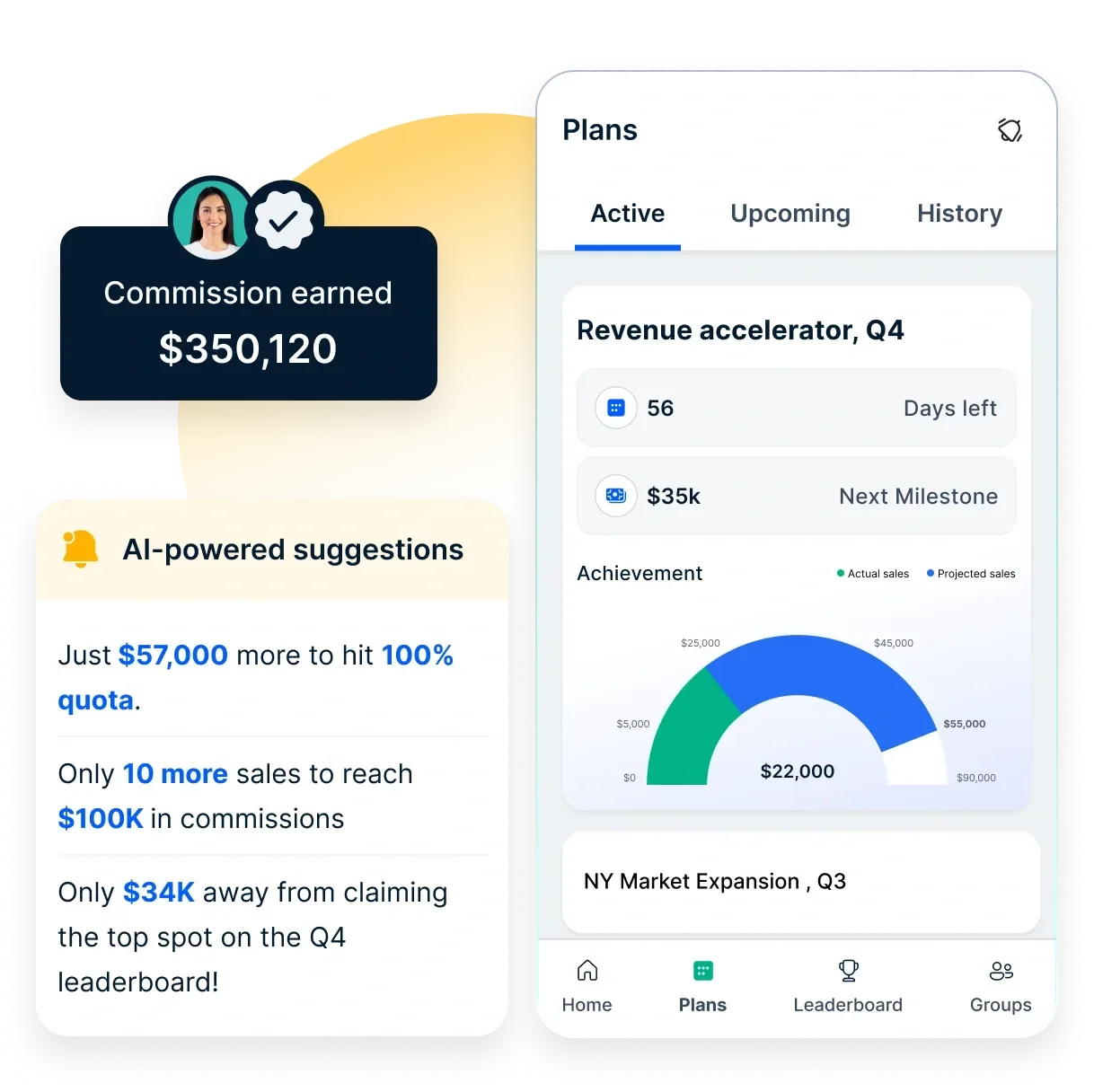
The results show up quickly. When Mercedes-Benz India moved incentives for its 33 franchises onto the platform, it reached 99.9% calculation accuracy, cut processing time by 75% and saw payment disputes fall by 40%, as described in the Mercedes-Benz India case study. To estimate what manual calculation costs your own team, try the sales incentive ROI calculator.
Book your Empuls demo
Frequently asked questions
A 3% commission on $100 is $3. Convert the percentage to a decimal by dividing by 100, so 3% becomes 0.03, then multiply it by the sale amount: $100 × 0.03 = $3. The same method works for any amount, so a 3% commission on a $25,000 sale is $750.
Multiply the sales amount by the commission percentage written as a decimal. For example, a 7% commission on $45,000 of sales is $45,000 × 0.07 = $3,150. If the plan has tiers, split the sales into the bands each rate applies to, calculate each band separately and add the results together.
It depends on the plan. Many companies pay commission on revenue or contract value because it is simple and easy for reps to track. Companies that want to protect profitability pay on gross margin instead, which discourages heavy discounting. Some plans blend both, paying on revenue with a multiplier for deals above a target margin.
There is no single standard rate, because it depends on the industry, deal size, sales cycle and how much of pay is fixed. Instead of copying a benchmark, set your rate from your plan: divide the variable pay you want a rep to earn at target by their quota. For $60,000 of variable pay on a $750,000 quota, the rate is 8%.
Commissions are taxable income like salary, but in the US they count as supplemental wages for withholding. Under IRS Publication 15 for 2026, employers can withhold federal income tax at a flat 22% on supplemental wages, rising to a mandatory 37% on amounts above $1 million in a year. The final tax owed depends on the employee's total income and bracket.
A commission clawback is a rule that recovers commission already paid when the underlying sale falls through, for example because the customer cancels, returns the product or never pays. The plan should state which events trigger a clawback, how long the window lasts and whether the amount is deducted from future commission or repaid directly.
Review commission plans and rates at least once a year, and check performance against the plan every quarter. CaptivateIQ's 2026 report found that 46% of companies now review and adjust plans quarterly. Change rates at the start of a period where possible, and document any mid-period change with the date it takes effect.
A spreadsheet works as a sales commission calculator for a small team with a simple flat or tiered plan. Once you have splits, clawbacks, overrides or many plans, commission software is more reliable, because it reads deal data directly from the CRM, applies every rule the same way and gives reps real-time visibility into their earnings.