Key Takeaways
A social intranet for BPO teams gives agents one trusted feed for news, process updates, recognition and community, delivered by app, SMS, WhatsApp, Teams or Slack.
Shifts, floor time, high attrition, multiple clients and limited email access are why email and team lead WhatsApp groups fail as the backbone of BPO communication.
Groups by client, process, site and shift keep updates relevant and confidential, while public recognition gives agents a reason to open the intranet every day.
A 90-day rollout with team leads as champions, a night-shift pilot and mobile number login drives adoption faster than an email launch.
Track activation, weekly active users, time to reach, quiz pass rates, recognition participation and early attrition by shift, not just as a site average.
A social intranet for BPO teams is a mobile-first internal hub where agents, team leads and operations managers get news, process updates, recognition and community in one feed, delivered to every shift through the app, SMS, WhatsApp, Teams or Slack. It replaces the scattered mix of floor huddles, forwarded emails and unofficial WhatsApp groups that most contact centers rely on today.
BPO employee communication is harder than in almost any other industry. Agents spend most of the day on calls or in queues, shifts run around the clock, many people never sit at a desk with a corporate inbox, and the same site may serve five clients with five different process rules. This guide covers why communication breaks down, the features that matter, recognition, use cases by shift, a 90-day rollout plan, compliance and metrics. It applies to voice, chat and back-office teams, including healthcare BPO teams in revenue cycle management, medical coding and claims.
Why communication breaks down in BPO and contact center operations
Communication breaks down in BPOs because the operating model works against it: people are on the phones, on different shifts, spread across clients and sites, and turning over fast. Information that reaches the day shift at a 9 a.m. huddle often never reaches the night shift at all.
Five pressures make the problem worse than in a typical office:
- Shift coverage: A 24x7 operation may run three or more shifts, plus weekend and split rosters. A policy change announced on Monday may not reach a weekend-only agent until the following week.
- Floor time: Agents are measured on adherence, handle time and occupancy. Every minute spent hunting for an update is a minute off the queue, so long emails and portal links get skipped. Verint's State of Agent Experience 2026 found that in 45% of calls, agents spend an average of three minutes searching for information.
- Attrition: New batches start every few weeks, so a large share of the floor is always new and still learning the process. ContactBabel's Steve Morrell told No Jitter that US contact center attrition is "about 30% on average" and has been for years.
- Multiple clients and sites: One building may host a telecom account, an insurance account and a healthcare claims process, each with its own SLAs, scripts and confidentiality rules. A single all-hands channel either floods people with irrelevant updates or leaks information to the wrong team.
- No desk email: Many agents log in to a client's CRM or a thin client, not a corporate mailbox. Firstup's 2025 deskless workforce research found that 69% of organizations rely primarily on email, while 54% of deskless workers have limited email access.
31%
of contact center agents are likely to leave their role within six months
Verint, State of Agent Experience 2026
46%
of agents aged 18 to 34 are likely to leave within six months, versus 8% of agents 45+
Verint, 2026
54%
of deskless workers have limited email access
Firstup, October 2024 survey
20%
of employees worldwide were engaged at work in 2025
Gallup, State of the Global Workplace 2026
Contact center attrition and engagement in numbers
The engagement picture is just as tough. Gallup's State of the Global Workplace reports that only 20% of employees worldwide were engaged in 2025, down from 21% in 2024, with 21% engaged in South Asia and 25% in Southeast Asia, two of the largest BPO delivery regions. For a deeper look at the drivers, see our guide to employee engagement in the BPO industry.
What a social intranet for BPO teams does
A social intranet for BPO teams gives every agent one trusted place for official news, process updates, recognition and peer conversation, and pushes the important items out to the channels agents already check. It is two-way, so agents can react, comment, ask questions and answer polls instead of just receiving memos.
Most contact centers already have email and a sprawl of WhatsApp groups run by team leads. Both have a role, but neither works as the backbone of BPO employee communication:
- What works
- Formal record, familiar to managers and support functions
- Where it falls short in a BPO
- Many agents have no corporate inbox or no time to read it on shift; long threads get buried; no way to see who actually read an update
- Team lead WhatsApp groups
- What works
- Fast, mobile and already on every phone
- Where it falls short in a BPO
- Personal numbers mixed with work, no moderation or audit trail, information stays inside one team, groups survive after people leave, risk of client data being shared
- Floor huddles and whiteboards
- What works
- Face to face, good for quick briefings
- Where it falls short in a BPO
- Only reach whoever is on shift that hour, nothing is recorded, quality depends on each supervisor
- Social intranet
- What works
- One feed for news, recognition and groups, delivered by app, SMS, WhatsApp, Teams or Slack; read tracking, polls and moderation
- Where it falls short in a BPO
- Needs a rollout plan, an owner and fresh content to stay alive
The goal is not to ban WhatsApp or kill email. It is to make the intranet the source of truth, then use messaging channels as the delivery layer, so every agent gets the same message, from the same place, regardless of shift or team lead.
Features that matter on the BPO floor
The features that matter most in an intranet for call centers are the ones that work in short bursts between calls, reach people without a desk and respect the boundaries between clients. Here is what to look for and how each one is used on the floor.
Central news feed
A central feed, sometimes called a town hall page, is where leadership and operations post announcements, celebrate wins and share milestones. Pinned posts keep critical items, such as a new escalation matrix or a holiday roster, at the top for every shift. Likes and comments show leadership what landed and what confused people.
Omni-channel delivery by SMS, push, WhatsApp, Teams and Slack
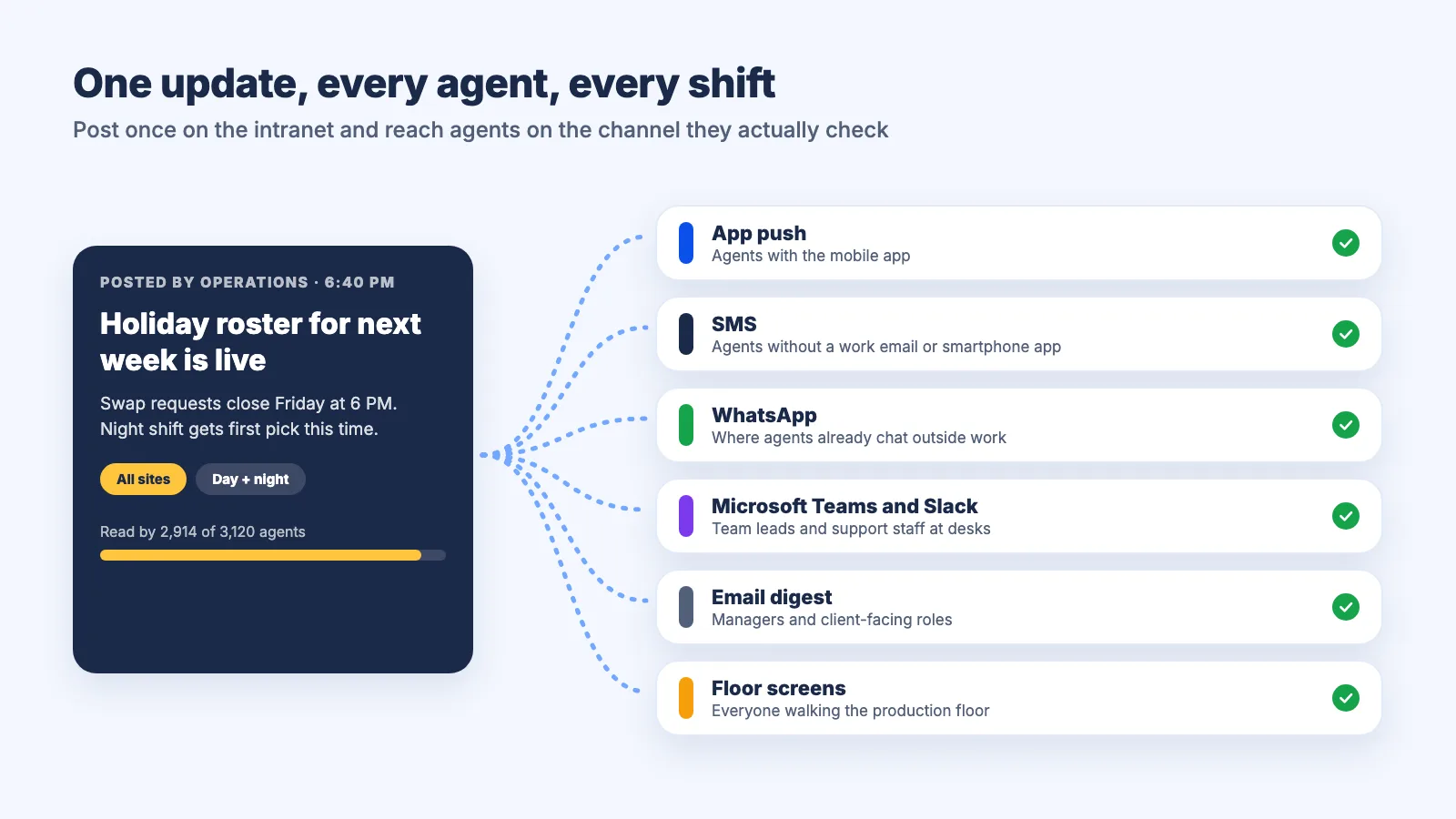
Shift worker communication tools have to meet people where they are. A good platform sends the same update as a push notification to the mobile app, an SMS or WhatsApp message to agents without a corporate login, and a post in Microsoft Teams or Slack for support functions. Firstup's research found that 51% of deskless workers prefer mobile methods such as text messages or push notifications, and 39% say messages often arrive at inconvenient times, so schedule delivery to the start of each shift rather than one blast for everyone.
Groups per process, client or site
Groups let you mirror how the operation is actually organized: one group per client account, process (inbound voice, chat, collections, claims adjudication, AR follow-up), site or shift. Membership should sync from your HRMS so new joiners land in the right groups on day one and transfers move automatically. Add voluntary interest groups too, from cricket to night-shift parents, because they build belonging.
Org chart and people directory
New agents often do not know who their quality analyst is, who owns the workforce management schedule or who to call about a payroll error. A searchable directory with an org chart shows reporting lines, roles and locations, so people can find the right person without walking the floor or waiting for their team lead.
Rich media formats
Agents absorb a 60-second video, an image card or a two-question quiz far faster than a three-page PDF. Look for posts, documents, polls, quizzes, contests, GIFs and social reactions such as high-fives and comments. Quizzes are especially useful for checking that a process change was understood before it shows up as a quality defect.
Reach every agent on every shift
Empuls brings news, groups, recognition and WhatsApp and SMS delivery together in one social intranet built for contact centers.
Talk to our ExpertTrusted by 5,000+ companies
Recognition on the intranet
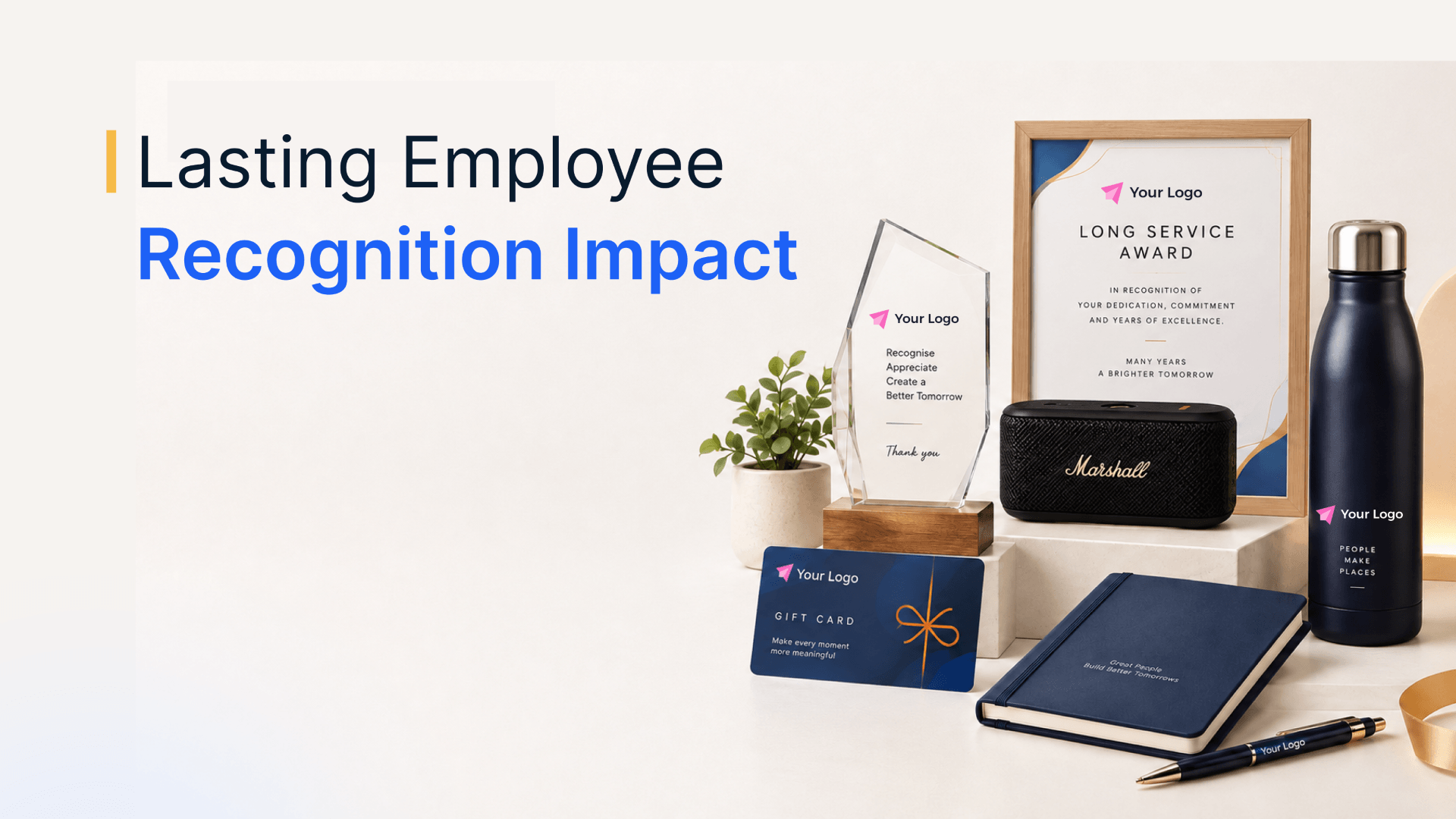
Recognition is what turns a BPO intranet from a notice board into a place people want to open. When shout-outs, awards and milestones live in the same feed as news, agents come back daily and see their peers being valued in public.
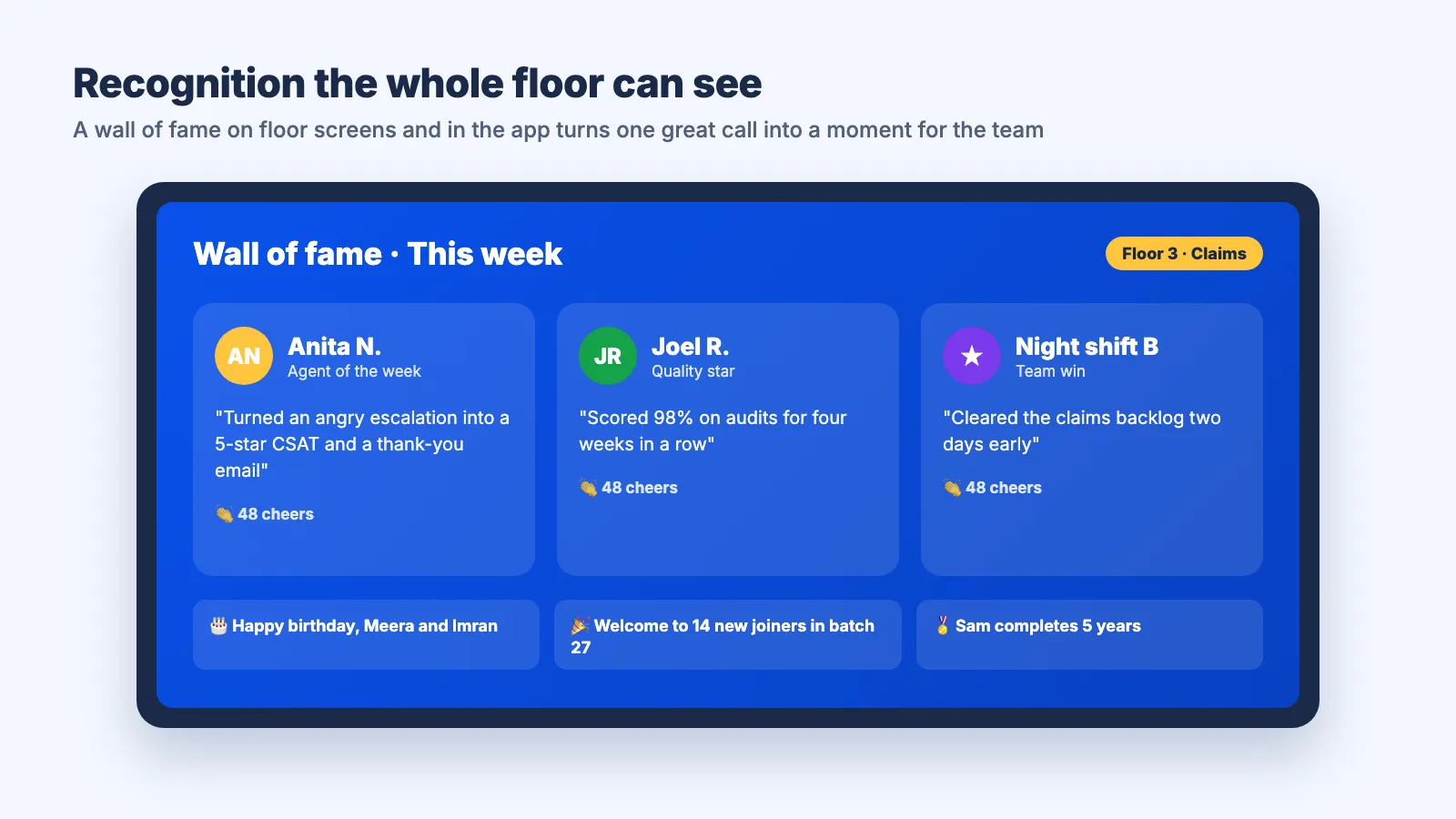
Contact center work is repetitive and often thankless, so visible appreciation carries extra weight. Build in these elements:
- Wall of fame: A live, photo-first feed of recognized employees that can roll on floor screens and lobby displays, filtered by process, site or award. It makes top CSAT scores, perfect quality audits and first-call resolutions visible to everyone, not just the agent's manager.
- Wishboards: Collect birthday, work anniversary and farewell wishes from colleagues across shifts on a single board, so night-shift agents are celebrated as warmly as the day team.
- Memory books: Turn a year of wishes and recognition into a keepsake for service anniversaries. In an industry where one year is a real milestone, marking it matters.
- LinkedIn sharing: Let agents share award certificates on LinkedIn. It builds their professional profile and quietly advertises your company as a place where good work is noticed.
- Gamified leaderboards: Award points for recognitions given and received, quiz scores or participation, and show rankings by team or site. Keep leaderboards about engagement and behaviors rather than raw productivity, so they motivate instead of shaming.
For program ideas you can launch on the intranet, see our list of call center rewards and recognition ideas.
Use cases by shift and process
The strongest use cases for contact center agent engagement are tied to moments that already happen in every BPO: a new batch starting, a shift handing over, a client changing a process. Plan intranet content around these moments rather than around a generic content calendar.
- Onboarding new batches: Create a group for each training batch with the trainer, buddy agents and team leads. Post the training schedule, glossary, first-week checklist and a welcome video from the site head, and introduce each new joiner on the main feed. A structured onboarding checklist covers the rest.
- Shift handover updates: Outgoing team leads post a short handover in the process group: open escalations, system issues, queue spikes and any client instruction from that day. The incoming shift reads it before logging in, so nothing depends on one supervisor catching another in the corridor.
- Process and compliance updates: When a client changes a script, a payer updates a claims rule or a new data handling policy goes live, post it to the affected groups only, pin it, attach a two-question quiz and track who has read and passed it. For healthcare revenue cycle teams, this is how coding guideline changes and denial-management updates reach every coder and AR caller on every shift.
- Town halls: Livestream or record quarterly town halls, post the recording and a summary to the feed, and collect questions in advance through comments so night-shift agents get the same voice as the day team.
- Ask Me Anything sessions: Schedule a monthly AMA thread where the site head, an operations director or the HR lead answers questions in the comments over a full 24 hours, covering every shift. Answer hard questions about incentives and appraisals openly.
- Client wins and CSAT shout-outs: Share client appreciation emails (with permission), renewed contracts and new process launches. Seeing the impact of their work builds pride in the account.
Homepage ideas for a BPO intranet
The homepage is where most intranet visits begin, so in a BPO it should answer what an agent needs in the 30 seconds before logging in: what changed, what is happening today and who is being celebrated. These ideas, adapted from classic intranet homepage design for a contact center floor, work well:
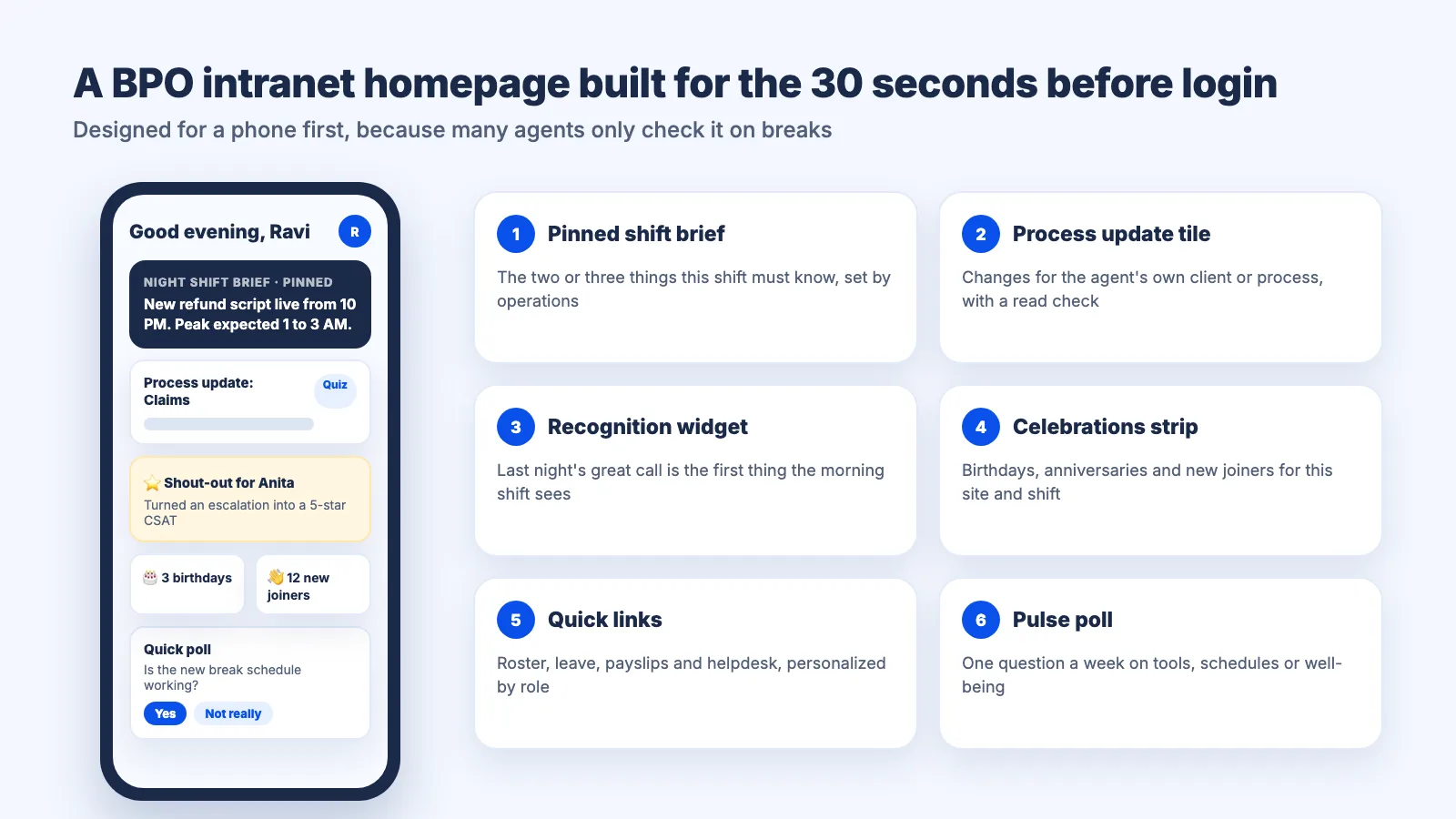
- Pinned shift brief: The two or three things every agent on this shift must know, updated by operations before each shift starts.
- Process update tile: The latest changes for the agent's own client or process, with a read confirmation and a link to the quiz.
- Recognition widget: Today's shout-outs and the wall of fame, so a great call from last night is the first thing the morning shift sees.
- Celebrations strip: Birthdays, work anniversaries and new joiners for the agent's site and shift.
- Events and town hall calendar: Upcoming town halls, AMAs, engagement events and training sessions, with reminders.
- Quick links: Shortcuts to the roster, leave requests, payslips, the knowledge base and the HR and IT helpdesk, personalized by role.
- Pulse poll: One question a week about tools, schedules or well-being, so agents feel heard and you spot problems early.
- Leaderboard snapshot: Top teams or sites in the current engagement challenge, refreshed in real time.
Design for a phone screen first: many agents will only see the intranet on a mobile app during breaks.
Rolling out a social intranet for BPO operations in 90 days
A 90-day rollout works for most BPOs: a month to plan and configure, a month to pilot with a few processes, and a month to scale across sites and shifts. Treat it like a client transition, with an owner and weekly reviews.
- Days 1 to 15, set goals and owners: Agree on two or three outcomes, such as reaching every agent within one shift of a process change or raising recognition participation. Name an intranet owner in internal communications or HR and a champion in each process.
- Days 16 to 30, configure the platform: Connect the HRMS so profiles, groups and the org chart stay current. Set up groups by client, process, site and shift, decide access rules for each client account, and turn on SMS, WhatsApp and push delivery for agents without corporate email.
- Days 31 to 45, seed content: Load policies, the holiday calendar, process FAQs and a welcome video from leadership. Prepare a month of recurring posts: shift briefs, weekly polls and recognition prompts.
- Days 46 to 60, pilot with two or three processes: Pick one voice, one non-voice and one night-shift team. Onboard agents with mobile number and OTP login during a team huddle, not by email, and track activation daily.
- Days 61 to 75, fix and expand: Act on pilot feedback (notification timing, language, group structure), then roll out site by site. Use the pilot teams' stories and screenshots in the launch posts.
- Days 76 to 90, embed the habit: Move official announcements off email and team lead WhatsApp groups to the intranet, run the first company-wide AMA, launch a recognition challenge and review the metrics with operations leadership.
The single biggest adoption lever is the team lead. If supervisors post handovers and recognition on the intranet, agents follow. If supervisors keep using their personal WhatsApp groups for official updates, the intranet stays empty.
Keeping it respectful and compliant
A BPO intranet has to be safe and compliant by design, because it carries the voices of thousands of young agents and sits next to client data that may be regulated. Moderation and access control are not optional extras.
- Content moderation: Use AI moderation that flags harassment, bias and offensive language in posts and comments, and route flags to HR for review. Publish simple community guidelines and pin them in every group.
- Access by client or process: Use closed or hidden groups so teams on one client account cannot see another client's updates, metrics or wins. This matters under client contracts that restrict information sharing across accounts.
- No client data on the feed: Make it clear that customer or patient details, screenshots of client systems and account numbers never go on the intranet. In healthcare BPO, protected health information belongs only in the client's approved systems.
- Security and audit: Look for SOC 2 Type II and ISO 27001 certification, GDPR support, role-based access, single sign-on and audit logs of administrative actions. Healthcare BPOs should also check HIPAA readiness.
- Clean offboarding: Because attrition is high, access must end the day someone exits. HRMS-synced membership removes leavers automatically, which unofficial WhatsApp groups never do.
Metrics to track
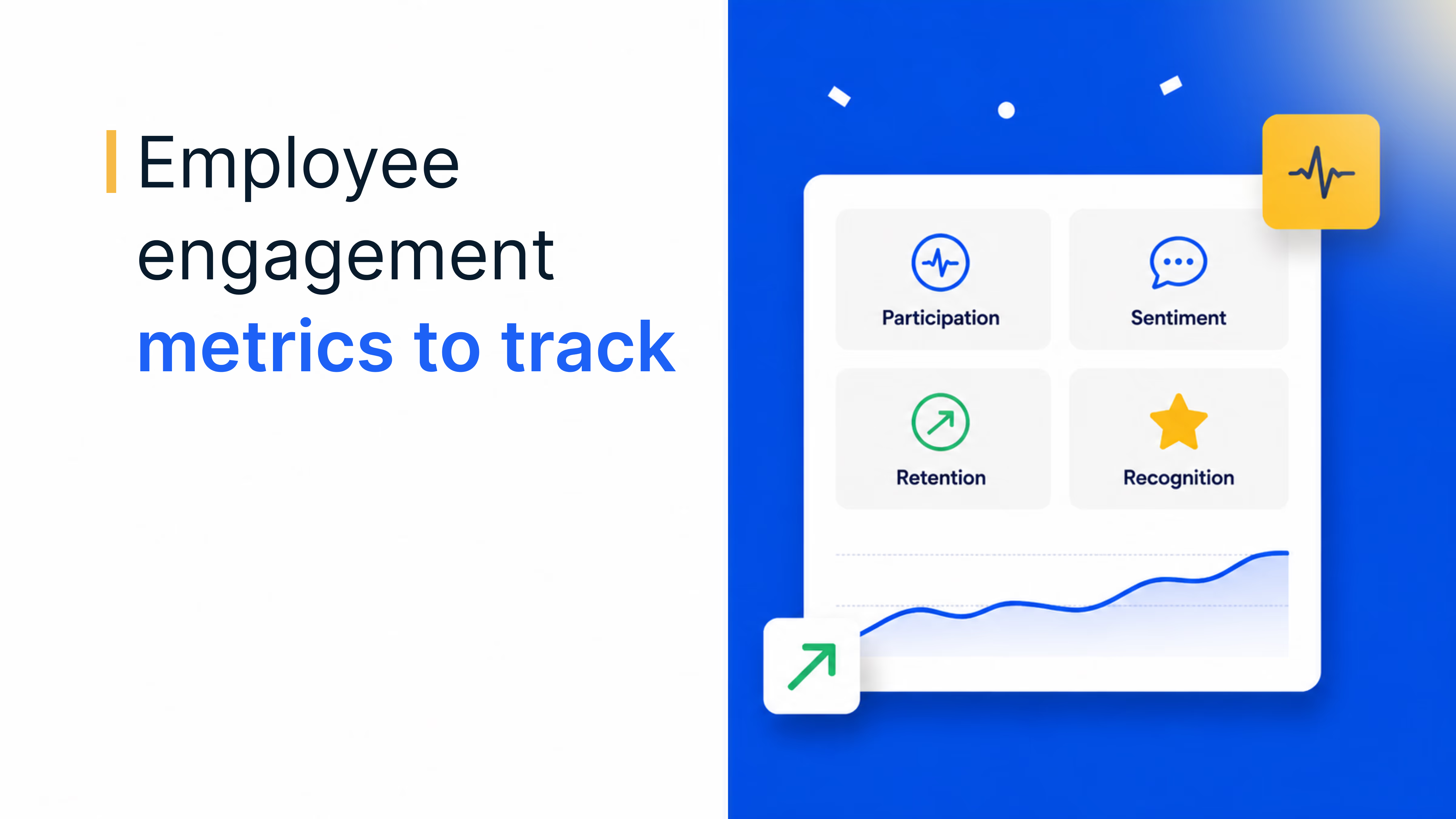
Track a small set of adoption, reach and outcome metrics, segmented by shift, process and site, because an average across the whole operation hides the night shift that never logs in.
- Activation rate
- What it tells you
- How many agents have joined
- How to measure
- Agents who have logged in at least once ÷ total agents, by site and shift
- Weekly active users
- What it tells you
- Whether the intranet is a habit
- How to measure
- Agents active in the last 7 days ÷ total agents
- Time to reach
- What it tells you
- How fast critical updates spread
- How to measure
- Hours from posting a process update to 90% read confirmations in the affected groups
- Process quiz pass rate
- What it tells you
- Whether updates were understood
- How to measure
- Agents who passed the update quiz ÷ agents in the process
- Recognition participation
- What it tells you
- How widely appreciation flows
- How to measure
- Employees who gave or received recognition in the month ÷ total employees
- Interaction rate
- What it tells you
- Whether content is relevant
- How to measure
- Reactions, comments and poll votes per post, by group
- Early attrition
- What it tells you
- Business impact on new batches
- How to measure
- Leavers within 90 days of joining ÷ joiners, compared before and after rollout
Link the intranet data to the operational metrics leaders already watch, such as quality scores and early attrition, and review them monthly. For retention levers beyond communication, see our guide on how to retain call center employees, and for broader channel strategy, our guide to employee communication.
How Empuls works as a social intranet for BPOs
Empuls combines a social intranet, recognition and rewards in one mobile-first platform, built for workforces that include people who never sit at a desk. For BPO and contact center teams, that means:
- Town hall feed and groups: A default Townhall group every employee belongs to for pinned announcements, polls and recognition, plus groups for departments, locations or any HRMS attribute. Membership auto-joins new hires and moves people on transfers, and groups can be open, closed or hidden.
- Reach without corporate email: Agents can join with a personal mobile number and OTP, and use the iOS and Android apps, SMS, WhatsApp or kiosk modes. Announcements also flow into Slack, Microsoft Teams and email, and digital signage puts recognition on floor screens. See how this works for frontline workforces.
- Recognition booster: A wall of fame that rolls on office screens, wishboards for birthdays and anniversaries that become memory books for service awards, certificates employees can share on LinkedIn, and leaderboards tied to recognition events.
- Interactive content: Polls and quizzes in any group or the Townhall, gamezone challenges and rich posts with comments, GIFs and high-fives.
- AI that keeps the feed healthy: Empuls AI flags inappropriate content such as harassment and bias for HR review, and a writing assistant helps agents and team leads draft recognition messages.
- Enterprise security: SOC 2 Type II, ISO 27001, GDPR and HIPAA-ready, with audit logs, role-based access, single sign-on and SCIM provisioning on enterprise plans, and HRMS integrations that keep profiles current.
The results are measurable. A global technology and BPO organization used Empuls AI insights to grow recognition participation from 56% to 82%. Another enterprise that replaced scattered tools with the Empuls social intranet saw a 3x increase in reactions and discussions on company updates and 65% participation in polls and discussions. More than 5,000 companies use Empuls, with a rewards catalog of 10M+ options across 150+ countries.
Book your Empuls demo
Frequently asked questions
A social intranet for BPO teams is a mobile-first internal platform where agents, team leads and managers get company news, process updates, recognition and peer groups in one feed. Unlike a static portal, it is two-way, so agents can comment, react and answer polls, and it delivers key updates through the app, SMS, WhatsApp, Teams or Slack.
Use channels that work on a personal phone. A social intranet with mobile number and OTP login lets agents join without a corporate inbox, and critical updates can go out by push notification, SMS or WhatsApp. Floor screens showing announcements and recognition add another layer, so even agents who rarely open the app still see the essentials.
WhatsApp groups are fast but hard to govern. They mix personal and work numbers, have no moderation or audit trail, keep information inside one team lead's circle and often survive after people leave. A social intranet can still deliver updates through WhatsApp, while keeping one official source of truth, access controls and read tracking.
Most BPOs can roll out a social intranet in about 90 days. Spend the first month setting goals, connecting the HRMS and configuring groups, the second month seeding content and piloting with a few processes including a night shift, and the third month scaling site by site and moving official announcements onto the platform.
It makes agents feel informed, heard and recognized. Agents get updates relevant to their own process and shift, can ask leaders questions in town halls and AMAs, and see their work celebrated on a wall of fame or leaderboard. Regular, visible recognition and two-way communication address some of the main reasons agents disengage and leave.
It can be, with the right controls. Choose a platform with SOC 2 Type II and ISO 27001 certification, HIPAA readiness, role-based access and audit logs. Use closed groups per client or process, apply AI content moderation, and set a clear rule that patient details, claim data and client system screenshots never appear on the intranet.